
Electrical Projects & Planning
CCTV Installation for Businesses in Edo State: A Practical Security Planning Guide
Planning CCTV installation for businesses in Edo State? Learn how to assess risks, plan useful camera coverage, protect recordings, maintain power and privacy, and prepare a professional installation brief for shops, offices, warehouses and other commercial premises.
- Favour Otaigbe
- Updated
- 29 min read

CCTV installation for businesses in Edo State is an important consideration for shop owners, supermarkets, pharmacies, offices, warehouses, hotels and other commercial property operators who want better visibility over their premises.
However, installing security cameras is not simply about purchasing a few cameras, mounting them on walls and connecting them to a monitor.
A properly planned CCTV system should help a business monitor important activities, secure entrances and exits, observe vulnerable areas, review incidents and retrieve useful recordings when they are needed.
A poorly planned installation can leave critical blind spots, produce unclear night-time footage, lose recordings during power interruptions or expose private information to unauthorised people.
For business owners in Benin City and elsewhere in Nigeria, understanding the planning process before purchasing equipment can prevent expensive mistakes and help ensure that the completed installation meets the actual security needs of the premises.
This guide explains how to plan commercial CCTV installation, select suitable surveillance coverage, protect recordings, maintain system reliability and work with a professional installer.
Whether you operate a small shop in Benin City, manage a supermarket in Edo State or oversee a commercial warehouse elsewhere in Nigeria, the principles discussed here will help you make more informed installation decisions.
Why Businesses Need a Properly Planned CCTV Security System
A business premises can contain several areas that require different levels of monitoring.
For example, a supermarket may need to monitor its entrances, cashier counters, shelves, storerooms and loading areas. A warehouse may require greater attention to access points, inventory storage and vehicle movement.
A CCTV system designed around the actual operations of a business is generally more useful than one installed simply to increase the number of visible cameras.
1. Monitoring entrances and exits
Entrances and exits are important surveillance locations because they show how people enter and leave the premises.
A well-positioned camera can help the business review:
People entering and leaving the premises.
Activities around the main entrance.
Movement around delivery entrances.
Suspicious activity around access points.
Incidents occurring close to doors and gates.
Where identification is important, camera positioning should be planned to capture useful facial details rather than simply producing a wide image of the entrance.
2. Protecting stock and business inventory
Retail shops, pharmacies, supermarkets and warehouses may hold valuable goods that require monitoring.
Cameras can help business owners review activities around:
Merchandise shelves.
Storage rooms.
Inventory collection points.
Loading and unloading areas.
Restricted stock locations.
However, cameras should be positioned according to the actual security risk. A single camera covering a large warehouse may show general movement without providing enough detail to identify what happened in a specific storage area.
3. Monitoring cash-handling areas
Cashier counters, payment terminals and other financial transaction points may require particularly careful surveillance planning.
A suitable camera position can help review relevant events involving:
Cash transactions.
Customer disputes.
Movement around payment terminals.
Cash collection and transfer.
Activities around cashier counters.
Cameras should be positioned to monitor the relevant activity without unnecessarily exposing customers' payment credentials, PIN entry or private financial information.
4. Improving visibility outside business hours
Many business premises remain vulnerable after employees have closed for the day.
Outdoor CCTV cameras can provide visibility around entrances, compounds, parking areas, loading points and other appropriate external locations.
For businesses operating late shifts or receiving deliveries outside normal working hours, surveillance planning should account for the actual operating schedule.
5. Supporting incident investigations
CCTV recordings can help business owners establish what happened before, during and after an incident.
Depending on image quality, camera positioning and recording configuration, footage may assist with reviewing:
Theft incidents.
Unauthorised access.
Property damage.
Workplace disputes.
Delivery disagreements.
Suspicious movement around the premises.
CCTV does not guarantee crime prevention or identify every offender. Its effectiveness depends on whether the cameras capture usable footage and whether recordings can be accessed when required.
CCTV Installation for Businesses in Edo State: Start With a Proper Site Assessment
Before choosing cameras, a professional installation should begin with an assessment of the property.
The installer needs to understand how the business operates, which areas require monitoring and what the customer expects the system to achieve.
Questions to answer before installation
A business owner should be prepared to explain:
What type of business operates on the premises?
How many entrances and exits are there?
Which areas contain valuable equipment, merchandise or records?
Are there restricted areas that require monitoring?
Does the business operate at night?
Are deliveries received outside normal business hours?
Is there an existing CCTV system that needs upgrading?
Does the building have reliable electricity?
Is remote monitoring from a mobile phone required?
How long should recordings remain available for legitimate operational purposes?
Are there neighbouring properties or public areas that need privacy protection?
Who should be allowed to view or retrieve recordings?
These questions help establish the scope of the installation.
Identify security priorities
Not every part of a commercial property has the same security importance.
For example, a pharmacy may prioritise its entrance, cashier counter and medicine storage areas. A warehouse may require more attention to inventory movement and loading bays.
An effective assessment should identify the areas that matter most before deciding the number of cameras.

Important CCTV Camera Locations for Different Business Premises
The correct camera positions depend on the building layout, lighting, business activities and intended surveillance objectives.
The following table provides a starting point for commercial CCTV planning.
Business area | Surveillance objective | Important consideration |
|---|---|---|
Main entrance | Monitor entry and exit | Capture useful facial details |
Reception area | Review visitor movement | Avoid unnecessary privacy intrusion |
Cashier counter | Monitor transaction activity | Protect payment information |
Sales floor | Observe customer and staff movement | Reduce blind spots |
Stockroom | Monitor stored merchandise | Cover access points |
Warehouse | Observe inventory and movement | Consider distance and lighting |
Loading bay | Review deliveries and dispatch | Account for vehicle movement |
Parking area | Monitor vehicles and access | Consider night visibility |
Office entrance | Monitor restricted access | Control camera permissions |
Perimeter | Observe external approaches | Use suitable outdoor equipment |
CCTV installation for shops and supermarkets
Shops and supermarkets typically require cameras covering more than their main entrances.
Depending on the layout, consider:
Main customer entrance.
Rear access door.
Cashier and payment counters.
Sales aisles.
Storage rooms.
Delivery and dispatch areas.
External surroundings.
For larger supermarkets, the layout may require several cameras to prevent important areas from being hidden behind shelves, columns or promotional displays.
The installation should also account for changes in shop layout. New shelves, partitions and equipment can create blind spots after the original installation.
CCTV installation for offices
Office surveillance should focus on appropriate common and access areas.
Possible locations include:
Reception.
Main entrance.
Corridors.
Records storage access.
Server room entrance.
External access points.
The camera layout should respect the privacy of employees and visitors.
Private offices, toilets, changing rooms and other spaces where people reasonably expect privacy should not become routine surveillance locations.
CCTV installation for warehouses
Warehouses can require more careful surveillance planning because of their size, storage arrangements and vehicle movement.
Important considerations include:
Goods receiving points.
Loading and unloading bays.
Inventory storage zones.
Emergency exits.
Main access doors.
Parking and vehicle movement.
Restricted equipment areas.
Camera selection and positioning should account for the distance between the camera and the area being monitored.
A camera that provides a satisfactory image across a small shop may not deliver sufficient detail across a large warehouse.
CCTV installation for pharmacies, hotels and other businesses
Pharmacies may require surveillance around entrances, cashier areas and appropriate stock-access locations.
Hotels may require coverage of reception, entrances, corridors and selected operational areas, subject to privacy requirements.
Restaurants may need surveillance around entrances, cashier counters, storerooms and delivery areas.
Schools and other educational premises require particularly careful consideration of children's privacy and access to recordings.
The objective should always be to monitor legitimate security areas without introducing unnecessary surveillance.
How Many CCTV Cameras Does a Business Need?
There is no universal camera quantity suitable for every business.
The required number depends on the physical size of the property, the number of access points, security priorities, internal layout and the quality of coverage expected.
Two businesses occupying buildings of similar dimensions may need completely different CCTV layouts.
For example, a small retail shop with one entrance, one cashier counter and a compact storeroom may require a relatively simple arrangement.
A larger supermarket may need more cameras because of its separate entrances, checkout areas, multiple aisles, stockrooms and external surroundings.
Why camera quantity alone is not enough
Installing more cameras does not automatically produce better security.
The cameras must be correctly positioned and configured to capture useful footage.
Consider these situations:
A camera may show the entire shop but provide insufficient detail to identify an individual near the entrance.
A camera mounted behind shelves may have its view obstructed.
A poorly positioned outdoor camera may point towards bright sunlight rather than the required scene.
A camera covering a large parking area may not capture enough detail of vehicles at a distance.
The purpose of each camera should be established before installation.
Identify the required level of coverage
For each camera position, establish whether the objective is:
General observation: Understanding movement across a large area.
Activity monitoring: Observing what happens around a particular location.
Identification: Capturing sufficient detail to recognise a person or object.
Transaction monitoring: Reviewing activities around payment or service counters.
Access monitoring: Observing people entering restricted areas.
One camera may not perform all these functions effectively from a single position.
The installer should explain any limitations before the customer approves the final arrangement.
Choosing a CCTV System for Commercial Installation
Commercial CCTV systems are available in different configurations.
The most suitable option depends on the property, existing infrastructure, equipment compatibility, recording requirements and future expansion plans.
Analogue CCTV systems with DVR
Analogue systems commonly transmit video from cameras to a Digital Video Recorder (DVR) through compatible cabling.
They may be suitable for smaller installations and businesses upgrading an existing compatible analogue system.
Consider:
DVR channel capacity.
Camera compatibility.
Cable routing.
Recording quality.
Storage requirements.
Power arrangements.
Existing analogue installations should be inspected before purchasing replacement cameras or recorders.
IP CCTV systems with NVR
Internet Protocol (IP) CCTV systems transmit digital video through a network.
Network Video Recorders (NVRs) are commonly used to manage recordings from compatible network cameras.
Depending on the equipment, IP systems may support Power over Ethernet (PoE), allowing compatible cameras to receive power and transmit data through one Ethernet cable.
Potential advantages include:
Flexible system expansion.
Network-based video management.
High-resolution camera options.
Centralised recording.
Supported remote viewing features.
However, network capacity, recorder compatibility and PoE power capacity must be considered during planning.
Hybrid CCTV systems
Some businesses already have older CCTV equipment and may not need to replace everything immediately.
A compatible hybrid arrangement may allow selected existing equipment and newer cameras to operate together.
Compatibility must be checked carefully. Not every DVR accepts every camera type, and not every NVR supports every third-party camera feature.
Which system should you choose?
A professional assessment should consider:
Whether the business already owns CCTV equipment.
How many cameras are required.
Whether additional cameras may be needed later.
Recording and storage requirements.
Network infrastructure.
Available power supply.
Remote monitoring requirements.
Equipment support and maintenance.
For a more detailed explanation of CCTV equipment, camera features and price factors, read our CCTV Installation Cost in Nigeria guide.
Why Camera Placement and Image Quality Matter
A CCTV camera can be expensive and still produce poor recordings when installed incorrectly.
Image quality depends on several factors, including camera specifications, lens selection, distance from the subject, lighting, installation height and the actual scene being monitored.
Avoid installing cameras without checking their field of view
The field of view determines how much of an area a camera can capture.
A camera with a wider viewing angle may cover a larger area, but objects and people farther away may occupy fewer pixels and appear with less detail.
A narrower viewing angle may capture greater detail within a smaller area.
The correct arrangement depends on the surveillance objective.
Consider lighting conditions
A camera that performs well during the day may struggle at night.
Commercial properties should be assessed under different lighting conditions, especially where outdoor cameras operate around:
Streetlights.
Parking areas.
Entrance gates.
Bright shop lighting.
Vehicle headlights.
Dark corridors.
Where necessary, suitable infrared night vision, low-light capability or additional illumination should be considered.
Manage strong sunlight and backlighting
Direct sunlight and strong light sources can affect image quality.
For example, a camera looking directly towards an entrance with bright sunlight behind a person may capture a silhouette rather than useful facial detail.
The camera angle, lighting and supported image-processing features should be considered during installation.
Test the actual image before finalising camera positions
Do not assume that a camera is correctly positioned merely because its picture appears on the monitor.
Check the live image from the intended surveillance position.
Confirm that:
Important areas are visible.
Objects do not obstruct the intended view.
Faces and activities are sufficiently detailed for the intended purpose.
Night-time images remain useful.
External weather conditions do not compromise the equipment.
Important areas are not unnecessarily recorded.
A practical camera-position test can prevent costly repositioning later.
Power Supply and Backup: A Critical Consideration for Nigerian Businesses
Nigeria's electricity supply conditions make power planning an important part of CCTV installation.
A surveillance system that switches off whenever public electricity goes out may leave a business without monitoring during an interruption.
Businesses using generators, inverters or solar systems should account for CCTV equipment when planning their electrical supply.
What should receive backup power?
Depending on the system design, the backup arrangement may need to support:
CCTV cameras.
DVR or NVR recorder.
PoE switches.
Network equipment.
Monitor or display.
Router and internet equipment where remote viewing is required.
Backing up the cameras while leaving the recorder without power will not provide the intended continuous recording.
Likewise, powering the recorder without the necessary camera power will leave gaps in surveillance coverage.
Calculate backup requirements properly
The actual power consumption of the equipment should be checked from its manufacturer specifications.
The installer should consider the combined load of all devices that must remain operational.
The required backup duration should also be agreed with the customer.
A business that only needs enough backup to bridge short interruptions has different requirements from a warehouse that expects extended overnight operation.
Do not assume that an existing inverter can automatically support additional CCTV equipment without checking its available capacity.
Protect CCTV equipment against electrical problems
Power fluctuations, surges, poor connections and inadequate earthing can affect electronic equipment.
A suitable installation should consider:
Appropriate surge protection.
Proper earthing where required by the electrical design.
Suitable power supplies.
Correct cable connections.
Proper separation and routing of mains and low-voltage cables.
Safe installation of backup equipment.
Electrical safety: Do not improvise electrical connections or connect CCTV power supplies to unsuitable circuits. Mains electrical work should be assessed and carried out by appropriately competent and qualified personnel.
Protect outdoor equipment against environmental conditions
Businesses in Edo State and other humid parts of Nigeria should pay attention to outdoor equipment protection.
Rain, moisture, dust, heat and poor cable termination can affect equipment reliability.
Outdoor installations should use equipment and accessories suitable for their actual exposure conditions.
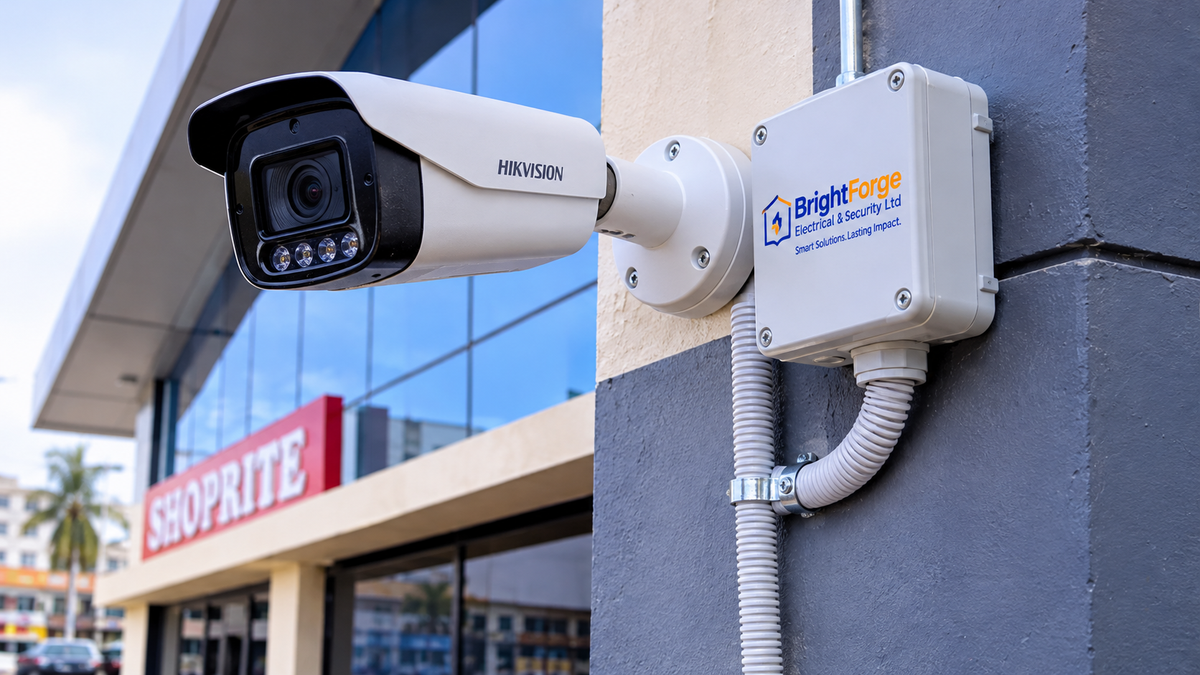
Where necessary, use appropriately rated weather-resistant junction boxes, protected cable routes and suitable mounting accessories.
CCTV Recording, Storage and Footage Retention
Installing cameras is only one part of a complete surveillance system.
The recording arrangement is equally important.
A business may have several working cameras but still be unable to review an incident because recording was not configured correctly, storage was exhausted or footage was overwritten.
Understand continuous and event-based recording
CCTV systems may support different recording arrangements.
Continuous recording
The system records throughout the configured operating period.
This can be useful for businesses that need a complete recording history.
Motion or event-based recording
Recording is triggered by supported motion-detection or event settings.
This may reduce storage requirements, but the system must be tested to ensure important activities are captured.
Scheduled recording
The recorder operates according to configured times.
This may be appropriate where a business has predictable working hours, provided the schedule covers the periods that require monitoring.
The recording arrangement should reflect the actual security needs of the business.
What determines the storage capacity required?
Storage requirements depend on:
Number of connected cameras.
Recording resolution.
Frame rate.
Video bitrate.
Compression format.
Continuous or event-based recording.
Recording schedule.
Required retention period.
There is no single hard drive capacity suitable for every CCTV installation.
A large business with multiple high-resolution cameras may require considerably more storage than a small shop.
Use suitable recording storage
Surveillance equipment should use storage designed for the intended recording workload and compatible with the recorder.
The installer should confirm:
Supported hard drive capacity.
Recorder storage limitations.
Available recording channels.
Storage health monitoring.
Recording configuration.
Whether additional storage can be installed.
Do not assume that an ordinary computer hard drive is automatically suitable for continuous CCTV recording.
How long should CCTV footage be retained?
The business should establish a clear retention policy based on its legitimate security purpose and applicable legal requirements.
Longer retention is not automatically better.
The Nigeria Data Protection Act requires personal data to be retained for no longer than necessary for its lawful purpose. The NDPC's GAID also discusses storage limitation and communicating retention policies.
Businesses should therefore avoid choosing an arbitrary retention period without considering their operational needs and legal obligations.
Where a security incident occurs, relevant footage may need to be preserved separately in accordance with appropriate legal and organisational procedures.
What happens when the recording storage becomes full?
Many recorders support automatic overwriting of older recordings.
This means that once the available storage is exhausted, older recordings may be replaced by newer footage according to the configured settings.
The business must understand how this works.
Important footage should be identified and exported before it is overwritten.
The ability to retrieve and export recordings should be tested before the CCTV installation is accepted.
Remote CCTV Monitoring: Watching Your Business From Anywhere
Modern surveillance systems may allow business owners and authorised personnel to access cameras through supported mobile applications or computer software.
This can be useful for business owners who frequently travel, operate multiple branches or need to check their premises outside working hours.
What is required for remote monitoring?
Depending on the equipment, remote viewing may require:
Compatible IP cameras or recorder.
Correct network configuration.
Internet access at the premises.
A compatible mobile application.
Properly configured user permissions.
Secure account credentials.
The actual requirements depend on the CCTV manufacturer and system architecture.
Can CCTV work without internet?
Yes, a properly configured system with local recording can continue recording to its local storage even when the internet connection is unavailable, provided the cameras, recorder and required network equipment remain powered and operational.
However, remote mobile viewing may become unavailable during the interruption.
This distinction is important for Nigerian businesses experiencing unreliable internet connectivity.
Protect remote monitoring accounts
CCTV remote access should not be treated as an ordinary social media account.
It may provide access to sensitive footage of employees, customers, business activities and property.
Businesses should insist on:
Changing default administrator credentials.
Using strong, unique passwords.
Creating separate authorised user accounts.
Enabling multi-factor authentication where supported.
Keeping device firmware and applications updated.
Removing access for former employees or installers when no longer required.
Avoiding unnecessary exposure of camera services directly to the public internet.
Limiting who can download or share recordings.
The business owner should retain control of the main administrator account.
An installer should not remain the permanent owner of the client's CCTV system or retain unnecessary access to private recordings.
CCTV Privacy and Legal Considerations for Businesses in Nigeria
A professional CCTV installation should consider both physical security and the privacy rights of people who may be recorded.
This is particularly important for businesses that serve customers, employ staff or operate in areas accessible to members of the public.
The Nigeria Data Protection Act, 2023 provides the principal legal framework for processing personal data in Nigeria.
CCTV footage can contain personal data when identifiable people are recorded.
Businesses should therefore consider the principles of lawful processing, transparency, purpose limitation, data minimisation, storage limitation and appropriate data security.
1. Establish a legitimate surveillance purpose
A business should be able to explain why each camera is necessary.
Examples include:
Protecting business premises.
Monitoring access to restricted areas.
Reviewing security incidents.
Protecting stock and equipment.
Monitoring appropriate operational areas.
Installing cameras simply to observe every activity without considering necessity and proportionality creates avoidable privacy concerns.
2. Display appropriate CCTV notices
People should be informed when surveillance is taking place.
Suitable notices should be visible before or when individuals enter monitored areas, as appropriate.
A business should consider including:
The presence of CCTV surveillance.
The identity of the organisation responsible.
The purpose of recording.
Relevant contact information for privacy enquiries.
Where additional information about recording and retention arrangements can be obtained.
A sign is an important transparency measure, but it does not automatically make every surveillance arrangement lawful.
3. Avoid unnecessary surveillance of private spaces
Camera positions should be carefully selected to avoid recording places where people reasonably expect privacy.
Do not direct cameras into:
Toilets.
Changing rooms.
Private residential spaces.
Neighbouring apartments.
Sensitive staff welfare areas.
Other areas unrelated to the stated security purpose.
Where a camera captures neighbouring property or a public space incidentally, assess whether its position, field of view or privacy-masking capabilities should be adjusted.
4. Control who can access recordings
Not every employee needs access to CCTV footage.
The business should identify authorised personnel and assign access according to their actual responsibilities.
The administrator's credentials should not be shared casually among workers.
5. Establish a recording retention policy
The business should define how long recordings are retained, why the period is necessary and how recordings are securely deleted or overwritten.
Footage required for a legitimate investigation may need to be preserved separately.
6. Consider whether a Data Protection Impact Assessment is required
The NDPC's 2025 General Application and Implementation Directive specifically includes deployment of surveillance cameras in places that may be accessed by members of the public among the activities covered by its Data Protection Impact Assessment provisions.
Businesses operating public-facing premises should seek appropriate data protection guidance to establish their obligations and complete an assessment where required.
This is especially important for large commercial establishments, high-footfall premises and businesses with more extensive surveillance operations.
The equipment installer can assist with the physical system, but the business owner or operator must also address its data protection responsibilities.
For additional guidance, consult the Nigeria Data Protection Commission and its published regulatory documents.
Common CCTV Installation Mistakes Businesses Should Avoid
Many surveillance problems result from poor planning rather than defective equipment.
The following mistakes should be avoided.
Mistake | Why it creates problems | What to do instead |
|---|---|---|
Installing cameras without a coverage plan | Important areas remain exposed | Assess the property first |
Choosing cameras only by megapixels | Image detail may still be unsuitable | Match lens and position to the task |
Ignoring night-time performance | Night recordings may be unclear | Test actual lighting conditions |
Poor cable routing | Cables can become damaged | Use suitable protective routes |
No power backup | Recording stops during outages | Plan backup for the complete system |
Inadequate storage | Important footage may disappear | Calculate storage requirements |
Weak administrator passwords | Unauthorised access becomes easier | Secure accounts and credentials |
No recording test | Cameras may show live images without storing usable footage | Test playback and export |
Ignoring privacy | The business may intrude on people's rights | Review camera angles and notices |
No maintenance plan | Faults can remain unnoticed | Schedule routine system checks |
What Should a Professional CCTV Installation Quotation Include?
Before accepting a CCTV installation quotation, business owners should understand exactly what the contractor intends to supply and install.
A quotation should be sufficiently detailed to prevent misunderstandings about equipment, materials and workmanship.
Essential items to check
A professional CCTV quotation should clearly identify:
Camera equipment
Number of cameras.
Camera type and model.
Resolution and relevant features.
Indoor or outdoor suitability.
Required mounting accessories.
Recording equipment
DVR or NVR model.
Number of supported recording channels.
Compatible storage capacity.
Proposed hard drive specification.
Recording configuration.
Cabling and accessories
Cable type and estimated quantities.
Connectors and termination materials.
Conduit, trunking or other cable protection.
Junction boxes.
Power supplies.
Network switches where required.
Surge protection and backup equipment where specified.
Installation and configuration
Camera positioning and mounting.
Cable installation and termination.
Recorder configuration.
Recording setup.
Remote-viewing configuration where requested.
Testing and commissioning.
Customer handover.
Commercial terms
Equipment and material costs.
Installation labour.
Transport or logistics where applicable.
Additional work or exclusions.
Project duration.
Payment structure.
Applicable warranty terms.
A quotation should not simply say "CCTV installation – four cameras" without explaining the equipment and work involved.
The customer should understand what is being purchased and what the completed installation is expected to deliver.
What Happens During a Professional CCTV Installation?
A properly managed CCTV project should follow an organised process.
Stage 1: Customer consultation
The installer discusses the property, business operations, security objectives and customer's expectations.
Stage 2: Site assessment
The premises are assessed to identify camera positions, cable routes, equipment locations and power requirements.
Stage 3: System planning
The installer prepares the proposed camera layout and identifies compatible cameras, recording equipment, accessories and other requirements.
Stage 4: Quotation and approval
The customer receives a quotation explaining the proposed scope, materials, labour and commercial terms.
Work should proceed after the agreed scope and payment arrangements have been accepted.
Stage 5: Physical installation
Cameras are mounted, cables are routed and the recorder and other required equipment are installed.
The installation should maintain neat workmanship, protected cables and suitable equipment positioning.
Stage 6: Configuration and testing
The installer configures the recording system and tests the camera views, playback, recording settings, power arrangements and remote access where included.
Stage 7: Customer handover
The customer receives a practical demonstration and the information needed to operate the completed system.
This should include the administrator account, authorised user access, application configuration where applicable, recorder operation and basic troubleshooting guidance.
CCTV System Testing and Commissioning Checklist
Before accepting a new CCTV installation, the business owner should confirm that the system works as intended.
The following checklist provides a practical acceptance guide.
All agreed cameras are physically installed.
Every camera produces a usable live image.
Important entrances and access points are covered.
Camera angles are checked for obstructions.
Night-time image quality is tested.
Recorder displays the correct date and time.
Recording is enabled for the agreed schedule.
Playback works for all required cameras.
The storage device is recognised and functioning.
Recorded footage can be retrieved and exported.
Required mobile viewing works.
Power backup has been tested where included.
The system's default passwords have been changed.
Authorised users have the appropriate access.
The administrator credentials have been handed over securely.
The customer understands the basic operation.
Warranty and maintenance information has been provided where applicable.
Important safety check: Test the system under realistic operating conditions. Do not accept a CCTV installation solely because the monitor displays camera images. Confirm that the system actually records and that previously recorded footage can be retrieved.
CCTV Maintenance: Keeping Your Business Surveillance System Operational
A CCTV system should not be forgotten immediately after installation.
Cameras collect dust, outdoor equipment is exposed to weather and cables or connectors may deteriorate over time.
Recording equipment can also develop faults without the business immediately noticing.
Recommended maintenance activities
Camera inspection
Check that cameras remain securely mounted and correctly positioned.
Lens cleaning
Remove dirt, dust and other obstructions that reduce image clarity. Use appropriate cleaning materials.
Recording checks
Periodically review playback and confirm that all required cameras are recording.
Storage inspection
Check the recorder's storage health and investigate any error messages.
Power inspection
Check backup arrangements, power supplies and protective accessories.
Remote access review
Review authorised accounts and remove access that is no longer necessary.
Time and date verification
Ensure the system's clock remains accurate so footage can be matched with actual incidents.
Firmware and security updates
Apply manufacturer-supported security updates and review device access settings.
Businesses should maintain a simple inspection record and arrange professional servicing where faults or configuration problems are identified.
Is CCTV Enough to Secure a Business Premises?
CCTV is an important part of a broader security arrangement, but cameras alone cannot prevent every incident.
Depending on the property's risks, a business may benefit from combining CCTV with other physical and electronic security measures.
Examples include:
Appropriate external lighting.
Secure doors and access points.
Perimeter fencing.
Electric fencing where suitable.
Alarm systems.
Security personnel.
Appropriate access management.
For businesses with exposed perimeter walls, a properly planned electric fencing system may complement CCTV monitoring by providing an additional security measure.
The two systems serve different purposes and should not be treated as substitutes for one another.
The CCTV system helps monitor and record activity, while the perimeter security arrangement may provide another layer of deterrence and protection.
Frequently Asked Questions About CCTV Installation for Businesses in Edo State
1. How much does CCTV installation cost for a business in Benin City?
The price depends on the number of cameras, equipment specifications, recording requirements, cable routes, installation complexity and backup power arrangements.
A proper assessment is needed before preparing an accurate quotation.
See our CCTV Installation Cost in Nigeria guide for more information.
2. How many CCTV cameras does a shop need?
There is no fixed number.
The number depends on the shop layout, entrances, cashier positions, stockroom, display arrangements and areas requiring monitoring.
A professional assessment should determine the appropriate camera positions and quantities.
3. Can CCTV record when there is no public electricity?
Yes, provided the system has an appropriate backup power arrangement.
The cameras, recorder and all other essential equipment must receive power for the system to continue recording.
4. Can CCTV work without an internet connection?
Yes. A properly configured local CCTV recorder can continue recording locally without internet access.
However, remote mobile viewing may be unavailable during an internet interruption.
5. Can I monitor my business CCTV cameras from my phone?
Yes, where the cameras or recorder support remote viewing and the necessary network configuration is in place.
An appropriate internet connection and properly secured user account are generally required.
6. Can CCTV cameras operate at night?
Yes. Suitable cameras can use infrared night vision, low-light imaging or additional illumination.
Actual night-time image quality should be tested before accepting the installation.
7. Can CCTV cameras be installed in an existing building?
Yes. CCTV systems can be installed in existing shops, offices, warehouses and homes.
The installation method will depend on the building layout, cable routes, mounting surfaces and equipment requirements.
8. Should I install CCTV before opening a new business?
Installing CCTV before business operations begin can make it easier to plan cable routes, camera positions and equipment locations.
However, an existing business can also undergo a professional installation without necessarily undertaking major building modifications.
9. How long should CCTV cameras retain recordings?
The appropriate period depends on the business's legitimate security needs, applicable legal obligations, recording configuration and available storage.
There is no universal retention period suitable for every business.
The business should establish and communicate an appropriate retention policy.
10. Can CCTV cameras be combined with an electric fence?
Yes. CCTV and electric fencing can complement each other.
CCTV provides surveillance and recording, while an electric fence can provide an additional perimeter security measure when properly installed and maintained.
11. Is CCTV installation compulsory for businesses in Edo State?
The Edo State Security Squad announced a directive on 6 July 2026 calling on businesses to install functional CCTV systems by 30 July 2026.
That announced deadline has passed.
Businesses seeking to understand the current status, applicable requirements or any subsequent enforcement measures should confirm directly with the relevant Edo State authorities. Do not rely on an old news report as confirmation of current legal requirements.
12. Does a CCTV installation require professional assessment?
A professional assessment is strongly advisable, particularly for commercial premises.
It helps establish camera positions, cable routes, recording requirements, electrical needs, privacy considerations and the appropriate equipment.
13. Does BrightForge install CCTV cameras for businesses outside Benin City?
BrightForge Electrical & Security Ltd is based in Benin City, Edo State.
We welcome enquiries from businesses and property owners elsewhere in Nigeria. Projects outside Benin City are considered according to their scope, location and installation requirements.
Conclusion: Invest in a CCTV System That Serves Your Business Properly
A reliable CCTV installation involves much more than purchasing security cameras.
It requires proper site assessment, thoughtful camera positioning, compatible recording equipment, adequate storage, dependable power, secure remote access and responsible handling of recorded footage.
For businesses in Benin City and across Edo State, these considerations are particularly important when planning surveillance for shops, supermarkets, offices, pharmacies, warehouses and other commercial premises.
Before purchasing equipment or accepting an installation quotation, take time to understand what your business needs and how the proposed system will meet those requirements.
A properly planned system can help improve visibility, support security investigations and give business owners greater confidence in monitoring their premises.
Need Professional CCTV Installation for Your Business?
BrightForge Electrical & Security Ltd provides CCTV installation services for homes, shops, offices, warehouses and other suitable properties.
Based in Benin City, Edo State, we assess each project according to its security requirements, building layout and installation scope.
Whether you are installing a new CCTV system, upgrading existing cameras or planning surveillance for a commercial property, let's discuss what your premises need.
Contact BrightForge today to discuss your CCTV installation project and request a quotation.
Request a CCTV Installation Quote
Contact BrightForge Electrical & Security Ltd
BrightForge Electrical & Security Ltd
Smart Solutions. Lasting Impact.
Benin City, Edo State, Nigeria. Suitable project enquiries accepted nationwide.
Need help with this at your property?
Tell us what you need and we'll get back to you during business hours. (Monday–Saturday, 8:00 AM–6:00 PM)